Chat Settings
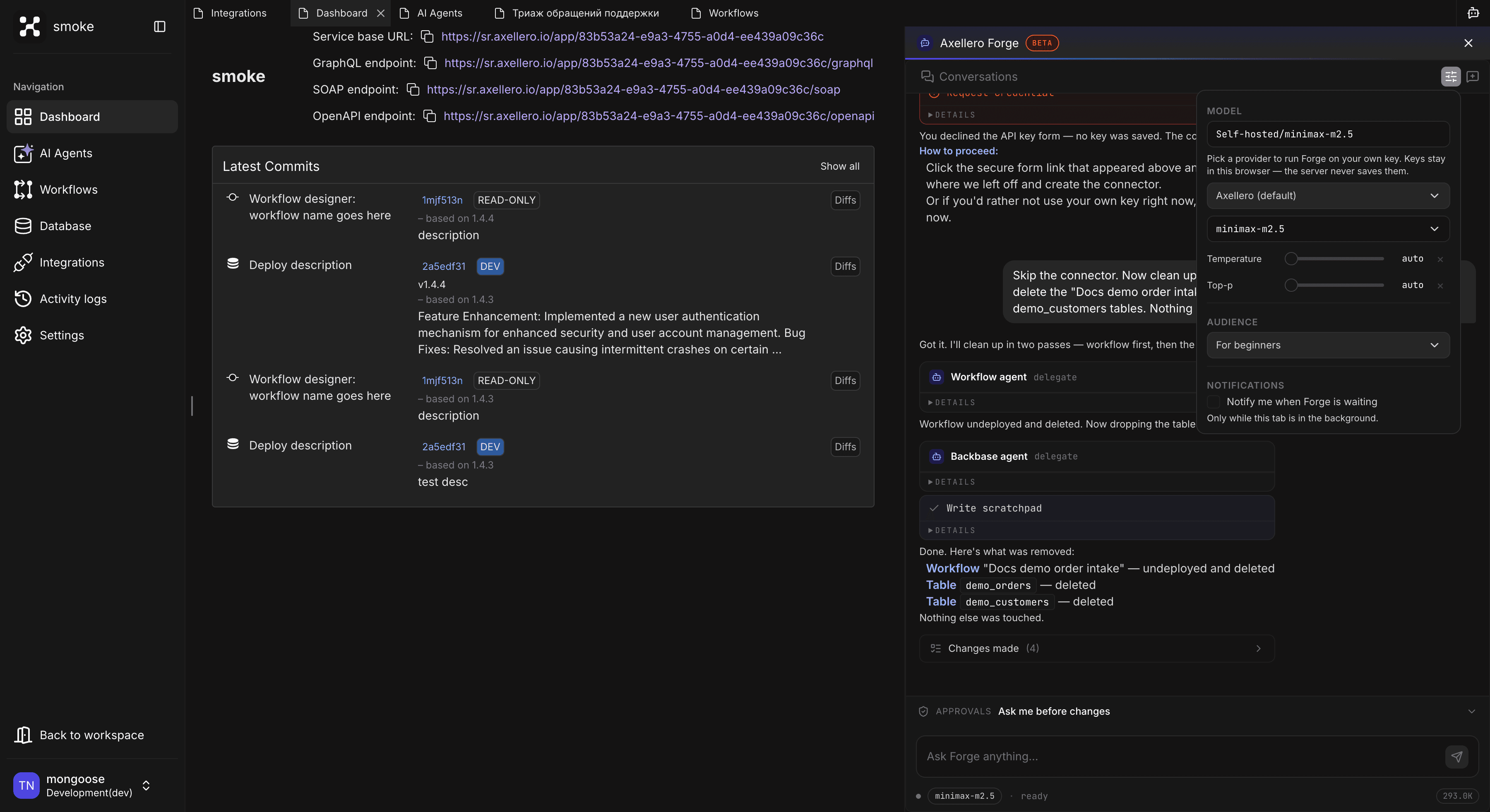
Choose the model Forge runs on — including your own API key — tune how it thinks, and pick how it talks to you.
Click the gear icon in the sidebar toolbar to open Chat settings. Everything here is remembered in your browser and applies to all your conversations in it.
The approval mode is not here on purpose — it lives in the APPROVALS bar right above the input, because it changes per conversation. See Approvals.
Model
The MODEL box at the top shows which model your next message will run on. Out of the box it's the platform's default — nothing to set up.
To run Forge on your own key, pick a provider:
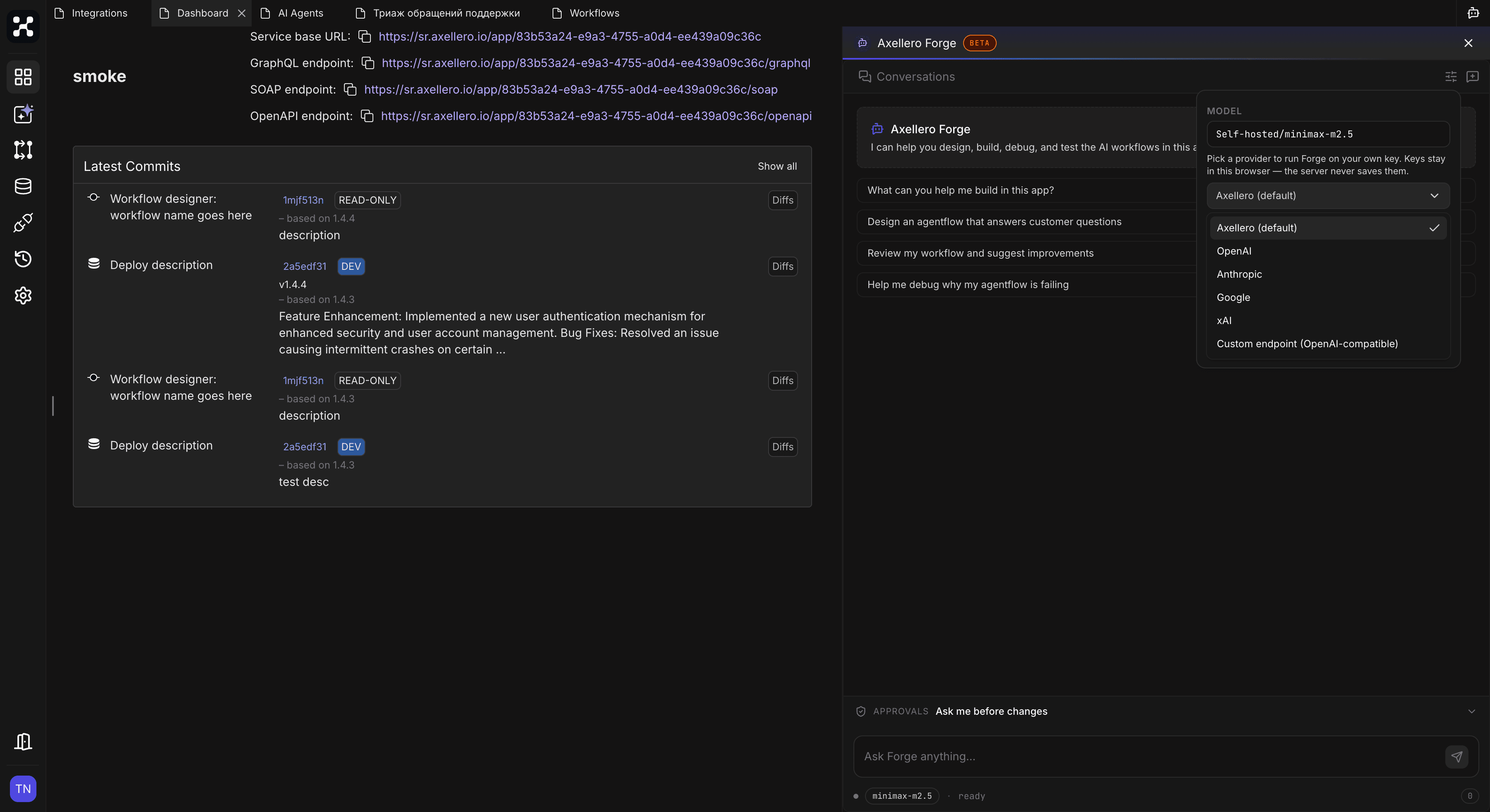
| Provider | What you need |
|---|---|
| Axellero (default) | Nothing. Pick a model from the list if your platform offers several. |
| OpenAI, Anthropic, Google, xAI | Your API key for that provider. Forge checks the key right away and lists the models it can use — Key works — N models available. |
| Custom endpoint (OpenAI-compatible) | A base URL (for example https://api.example.com/v1), an API key, and a model name. Use this for a company gateway or any other OpenAI-compatible service. |
The change applies immediately — no reload needed. Your keys are remembered per provider, so switching back and forth doesn't mean typing them again.
Your API key stays in this browser and travels with each request — the server never stores it. Clearing your browser data removes it.
When is your own key useful?
- Your company routes LLM traffic through its own gateway.
- You want to see how Forge performs on a different model.
- Your platform's default model has usage limits you'd rather not share.
Which model to pick
We've run Forge on a lot of models. Here's what holds up in practice:
| Model | Good for | Worth knowing |
|---|---|---|
| gpt-5.6-luna | Everything — the safe default | Tested the most, stable, and cheap. Set Reasoning to high. |
| gpt-5.6-sol | Planning and analysis of big tasks | Noticeably smarter on hard reasoning, but watch the Token usage counter — the bill grows fast. Use it for the plan, switch back to luna to build. |
| gemini-3.7-flash | Everything | Works very well; costs more than luna. |
| grok | Everything | Works well. On a low-tier xAI plan it's slow — if you don't have a higher tier, expect long waits. |
| claude sonnet | Everything | The strongest overall. Enough for any task, but roughly 10× the cost of luna. |
| claude opus | Deep analysis | When sonnet isn't enough. Priciest of all. |
A practical pattern: think with sol (or opus), build with luna. The Audience setting and the approval mode don't depend on the model — only speed, quality, and cost do.
Open-source models: no guarantees
You can point the Custom endpoint at a self-hosted or open-source model, but we can't promise Forge will work well on it. Too much depends on things outside Forge — the inference server, its settings, and the model itself. If you go this way, pick a big model: 700B+ parameters. Smaller ones tend to miscall tools and lose the plan halfway through.
Temperature, Top-p, and Reasoning
Three knobs under the model control how it generates answers. Leave them alone unless you know what you want:
- Temperature (0–2) — how adventurous the model is. Lower is more predictable; Forge's default is deliberately low, because building things needs precision more than creativity.
- Top-p — a second way of limiting randomness. Rarely worth touching.
- Reasoning — how long the model thinks before answering. Default leaves it to the provider; higher levels give better plans on hard tasks but take longer. Only shown for models that support it, and the available levels differ per provider.
Audience
The AUDIENCE setting controls how Forge explains things — not what it builds. The same request produces the same workflow; only the narration changes.
| Level | How Forge talks |
|---|---|
| For beginners (default) | Plain language, no jargon — explains what workflows and connectors are along the way |
| For developers | Developer terms are fine, but Studio specifics still get explained |
| For experts | Terse, full jargon — assumes you know the platform |
Pick the level that matches you, not the task. If Forge's answers feel either patronizing or too dense, this is the knob to turn. Forge may suggest a different level once if the fit looks wrong — but it never changes it for you.
Notifications
Forge often needs a minute or five to build something. Rather than staring at the sidebar, switch to another tab — and let the browser tell you when Forge stops and waits for you.
Tick Notify me when Forge is waiting under NOTIFICATIONS. The browser asks for permission to show notifications — allow it. (Reloading the page once afterwards isn't required, but doesn't hurt.) From then on, whenever a card appears — an approval or a request for a credential — and Studio isn't the window you're looking at, a notification pops up: Axellero Forge — Waiting for your approval. Click it to jump back.
A few details worth knowing:
- Nothing fires while you're on the Studio tab — you can see the card already.
- Several cards at once come as one notification with a count, not a burst.
- Coming back to the tab dismisses the notification by itself.
- If you blocked notifications in the browser earlier, the box can't be ticked — allow the site in your browser's site settings first.
The setting is per browser, like the others here.
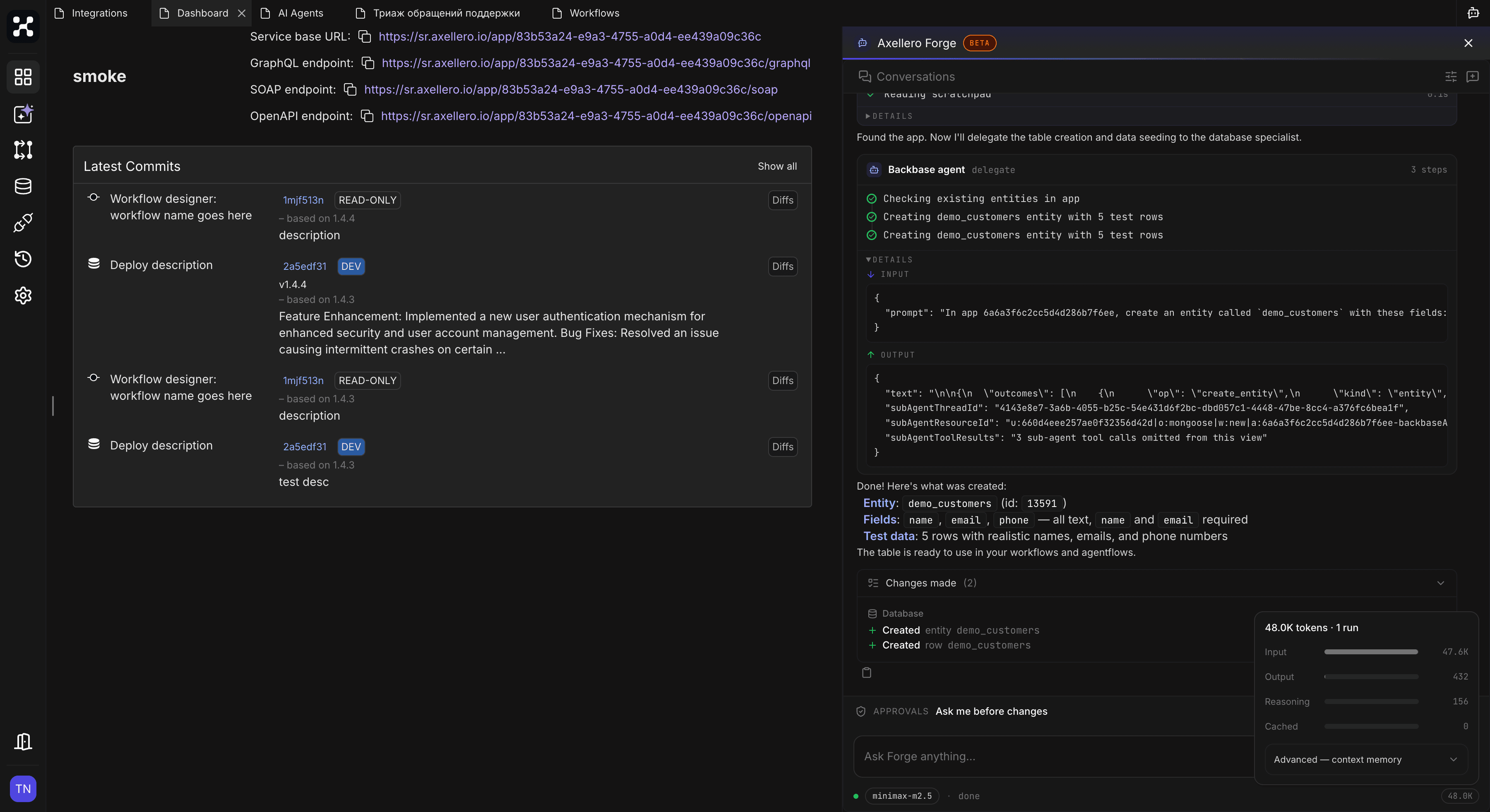
Token usage
The counter in the status line under the input shows how many tokens the conversation has used. Click it for a breakdown: input, output, reasoning, and how much was served from cache.