
Deploying
Ask Forge to ship a draft as a live version — what happens, what the card shows, and how to take it back down.
Everything Forge builds lands in a draft. A draft is safe: you can run it with test data, but nobody outside Studio can reach it. To make it real — a workflow answering HTTP requests, an agent your customers can chat with — it has to be deployed.
You can deploy in Studio yourself, as always. Or you can ask Forge.
Ask for it explicitly
You: Deploy the order intake workflow.Forge never deploys on its own initiative. Building and testing a flow ends with a draft; going live is a separate request from you, and a separate approval card.
The deploy card
Deploying is always high risk, whatever your approval mode — unless you've chosen Run freely. The card shows what will happen:
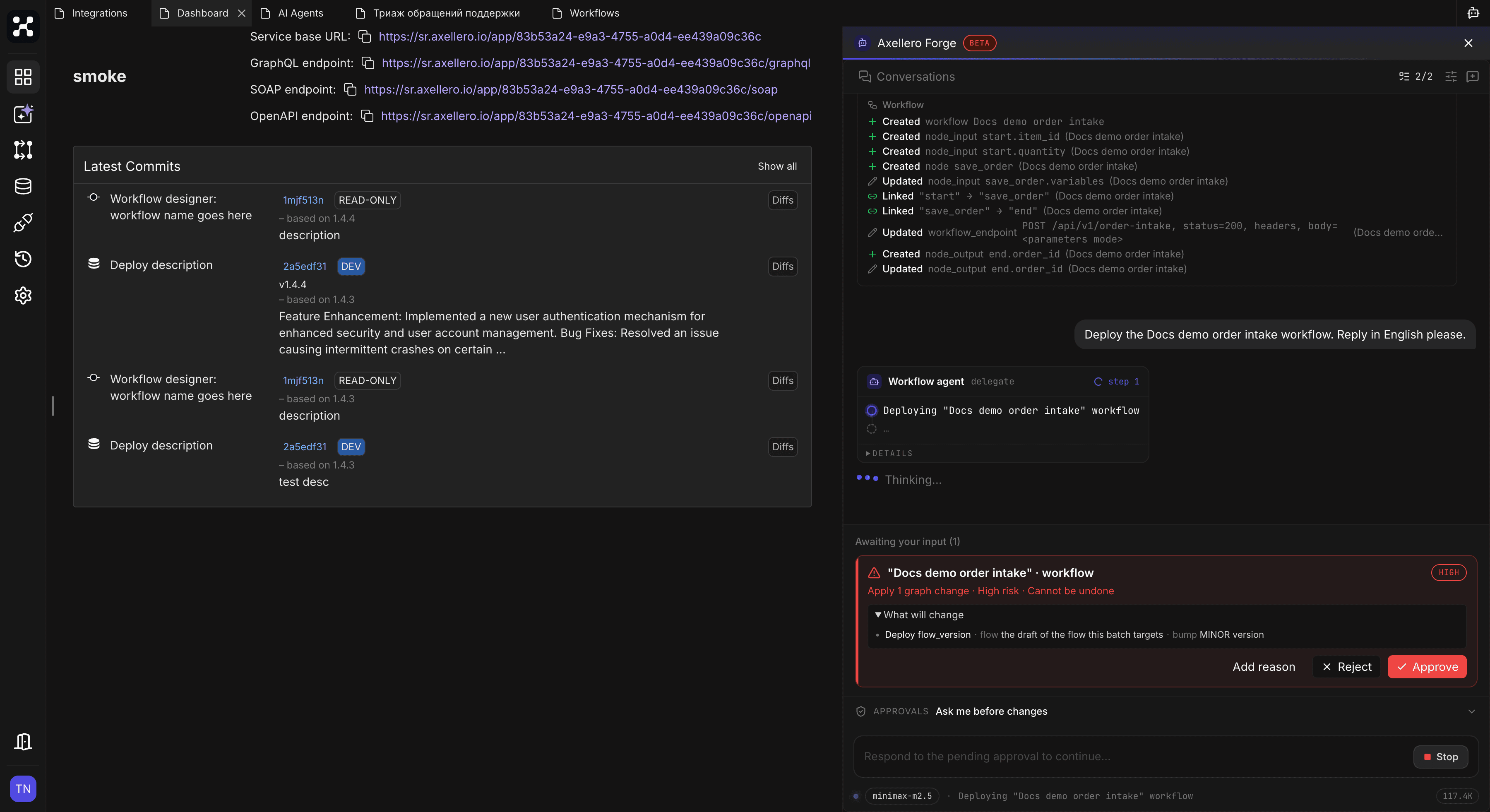
- The flow being deployed, and that the deploy takes the current draft.
- The version bump — Forge picks the next minor version: 0.1.0 for a first deploy, then 0.2.0, and so on.
- A history line for the version: Forge writes down what changed in each build, and the deploy ships that list as the version's description. Later, in Studio's version history, you can read what every version was for.
Approve it, and Forge freezes the draft into a new version and turns it live:
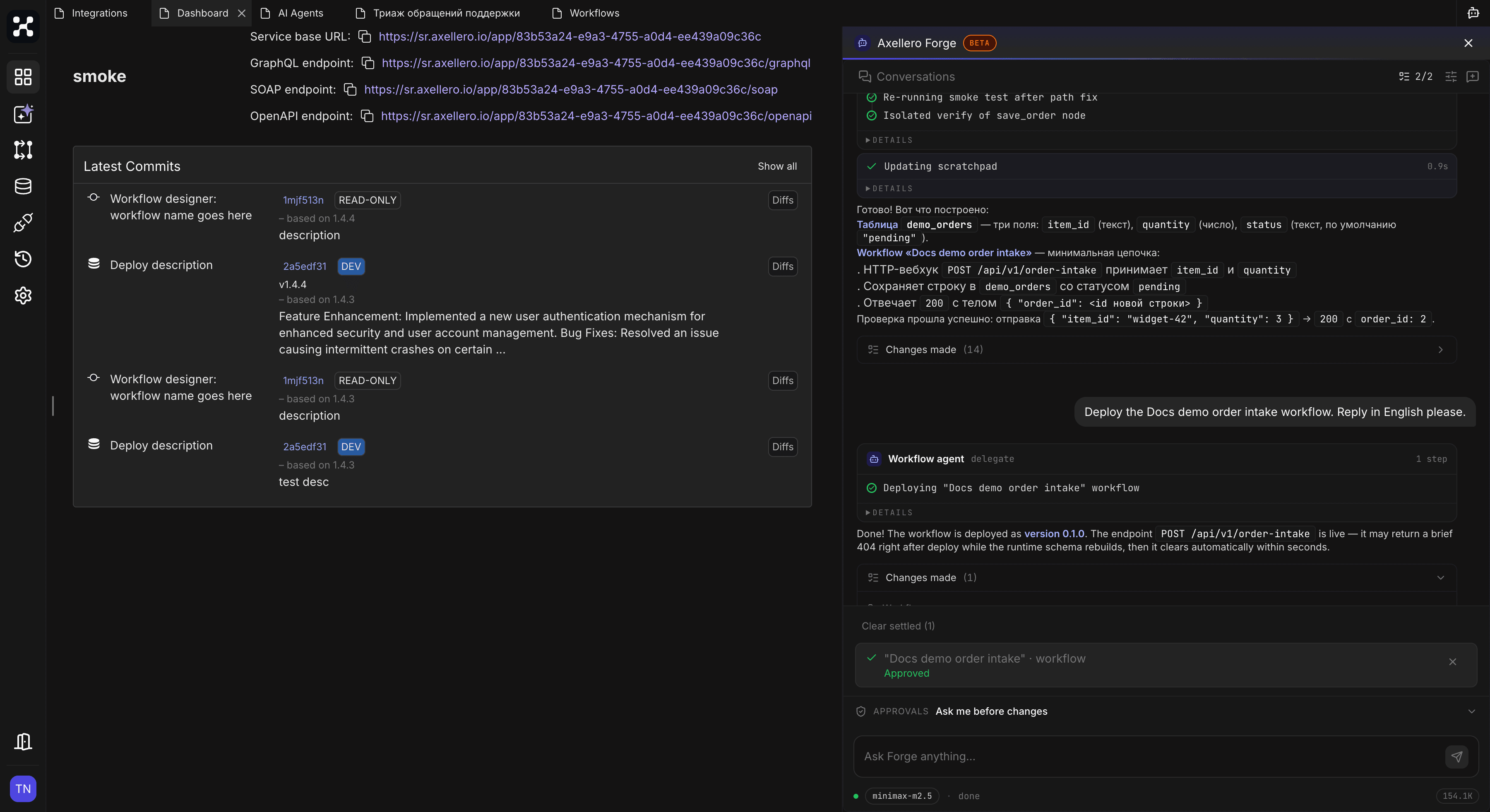
For an agent, the reply includes the live chat endpoint — the URL your app or website calls. Who may call it is set in the flow's execution settings in Studio.
Right after a deploy the live endpoint can return 404 for a few seconds while the platform rebuilds. That's normal — try again, don't redeploy.
Before you deploy
A few habits that pay off:
- Test first. Ask Forge to run the draft with real-looking data, or chat with the agent, before deploying. It usually does this by itself after a build — but a deploy request after a long edit session deserves its own check.
- Deploy children before parents. If an agent calls another agent, or a workflow calls a sub-workflow, the called one must be deployed first — the caller uses its deployed version.
- Read the rows. The card lists exactly what goes live. It takes a second.
Editing after a deploy
The deployed version is frozen. Your next edit — by you or by Forge — starts a fresh draft from it. So "add a branch to the order workflow" after a deploy changes the draft, not the live version; ask for another deploy when it's ready.
Taking it down
You: Undeploy the order intake workflow.Also a high-risk card. The live endpoint stops answering; the version itself stays in history, so you can redeploy it later.
What Forge asks approval for
| Step | Risk level |
|---|---|
| Deploying a workflow or agent | High |
| Undeploying | High |
| Editing the draft after a deploy | Low — it's a draft again |