
MCP Servers
Connect to Model Context Protocol servers to access external tools and data sources.
MCP Servers provide an alternative way to give your agents and workflows access to external tools — complementing connectors with a standardized protocol for tool discovery and execution. At runtime, your AgentFlows and Workflows become MCP clients that connect to MCP-compliant servers, discover available tools automatically, and use them as workflow nodes.
Overview
MCP Servers are managed in Application > Integrations > MCP Servers. Each MCP server connection exposes a set of tools that your agents and workflows can call during execution.
┌──────────────┐    ┌──────────────┐    ┌──────────────┐
│  AgentFlow / │    │  MCP Server  │    │   External   │
│   Workflow   │───▶│  (tools)     │───▶│   System     │
└──────────────┘    └──────────────┘    └──────────────┘
  Agent decides       Calls tool via       Database, API,
  to act              MCP protocol         or service
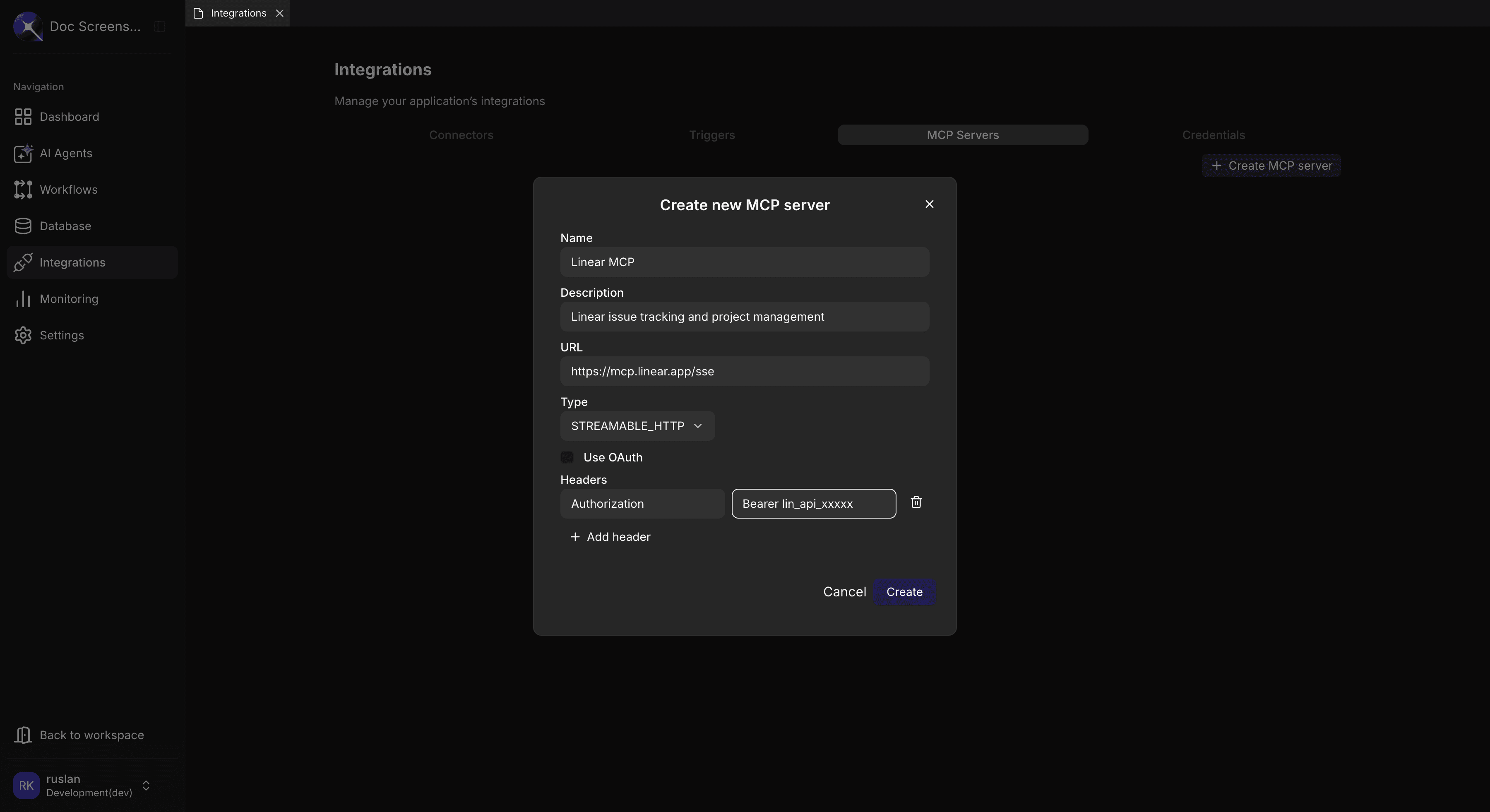
Adding an MCP Server
- Navigate to Application > Integrations > MCP Servers
- Click the "Create MCP server" button
- Enter the Name and optional Description
- Enter the URL (the MCP server endpoint)
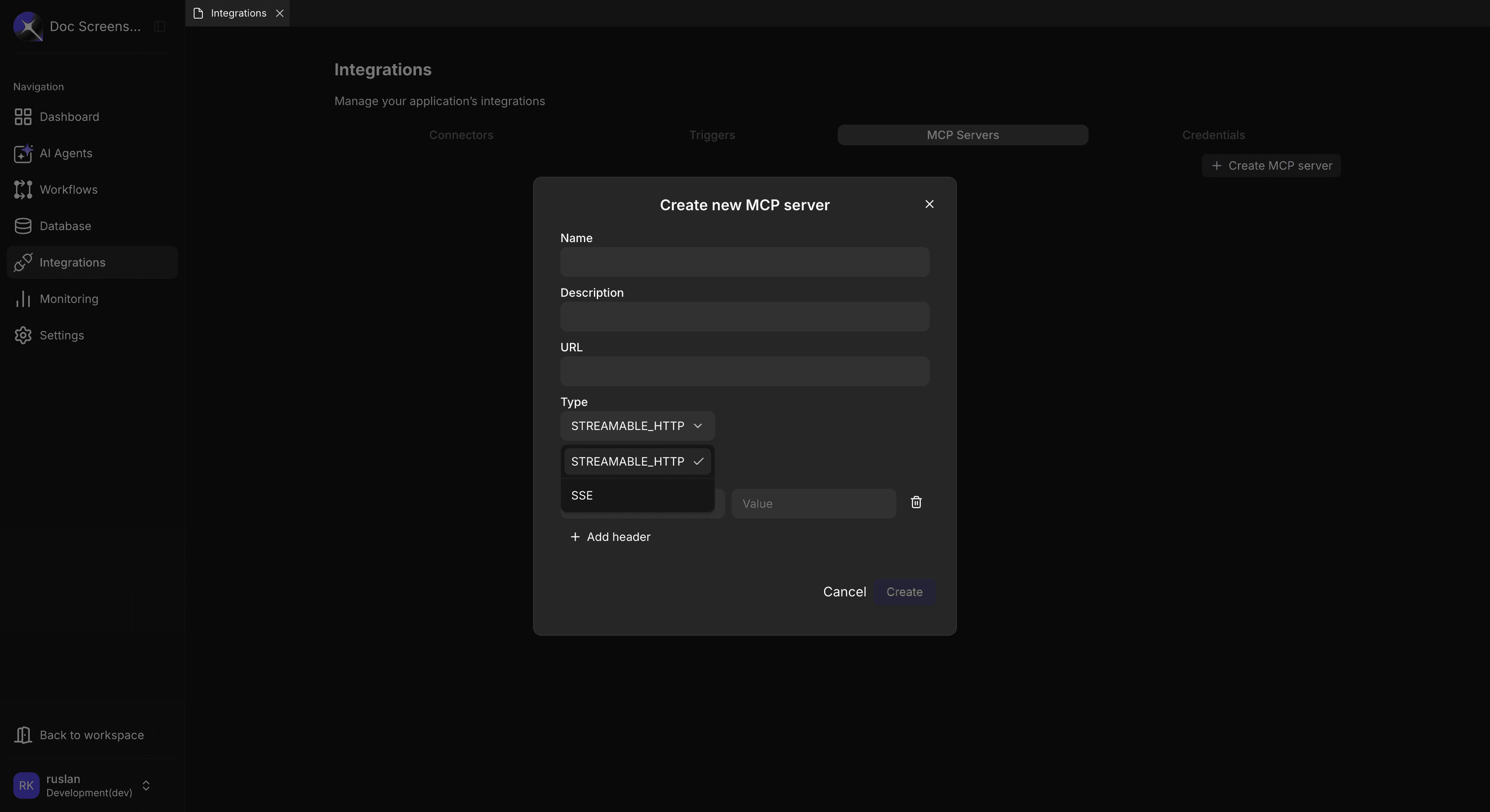
- Select the Type (STREAMABLE_HTTP or SSE)
- Optionally enable Use OAuth for OAuth 2.0 authentication
- Add Headers if the server requires authentication (e.g.,
Authorization: Bearer <token>) - Click Create
Configuration Fields
| Field | Required | Description |
|---|---|---|
| Name | Yes | Descriptive server identifier |
| Description | No | Purpose and capabilities of the server |
| URL | Yes | MCP server endpoint (full URL) |
| Type | Yes | Connection method — STREAMABLE_HTTP or SSE |
| Use OAuth | No | Enable OAuth 2.0 authentication flow |
| Headers | No | Key/value pairs sent with each request (e.g., API keys, bearer tokens) |
Transport Types
| Transport | Description |
|---|---|
| STREAMABLE_HTTP | HTTP with streaming — standard REST-like interface (default) |
| SSE | Server-Sent Events — real-time updates, streaming responses |
Tool Discovery
When an MCP server connects, Axellero:
- Automatically discovers all available tools
- Validates tool input schemas (JSON Schema)
- Generates workflow nodes from discovered tools
- Syncs new tools in real time when the server updates
MCP tools appear in the node palette alongside built-in nodes:
| Context | How It Works |
|---|---|
| AgentFlow | MCP tools appear as callable tools — agents invoke them during conversations |
| Workflow | MCP tools generate visual nodes you can drag onto the canvas |
Server Status
| State | Description | Indicator |
|---|---|---|
| Connected | Server responding and tools synced | Green |
| Auth Required | OAuth flow needed | Orange |
| Error | Connection or authentication failed | Red |
| Pending | Connection attempt in progress | Loading |
Managing MCP Servers
Viewing MCP Servers
The MCP Servers tab displays a table with all configured servers in the current application:
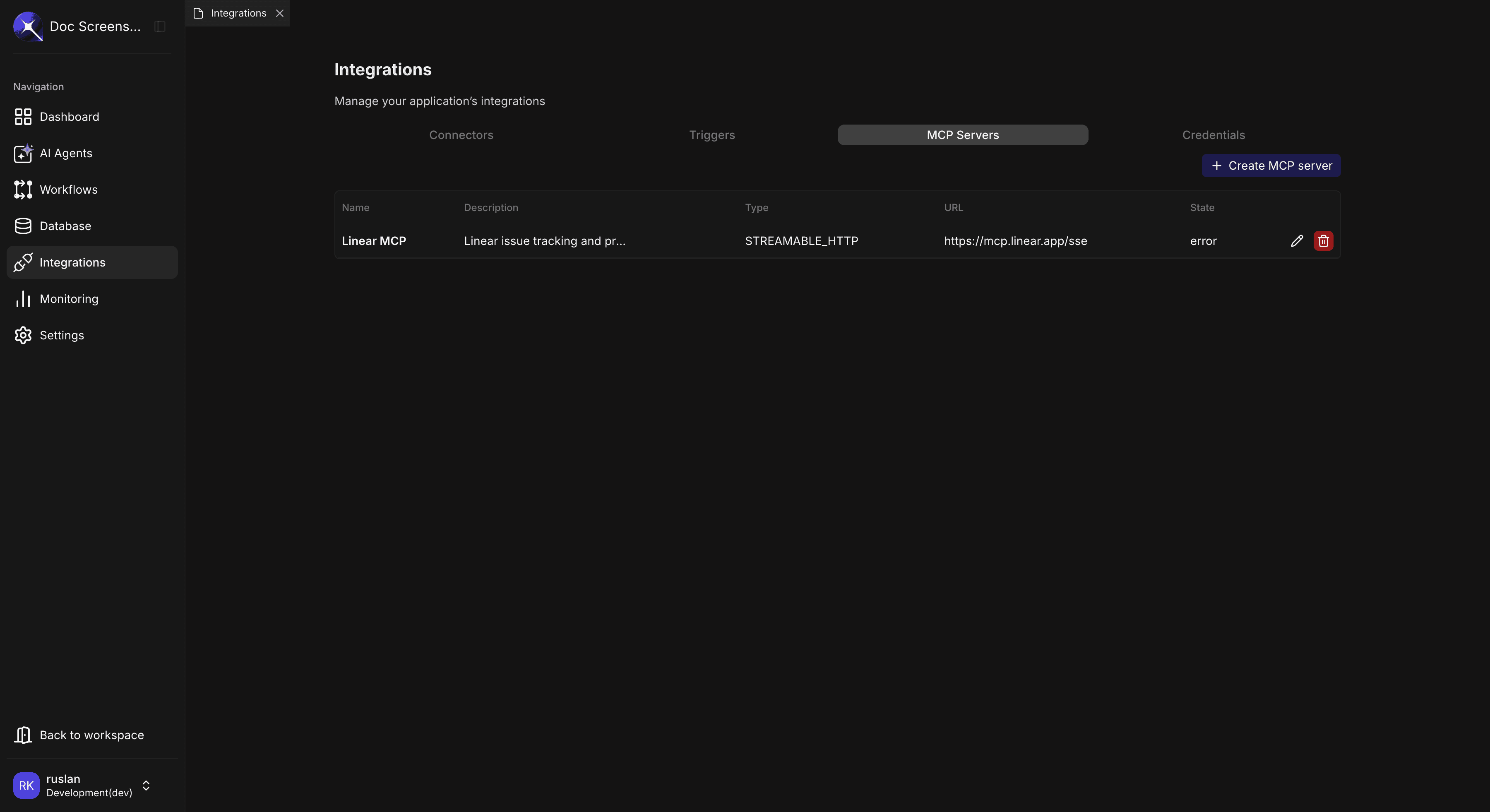
| Column | Description |
|---|---|
| Name | Server identifier |
| Description | Optional description |
| Type | STREAMABLE_HTTP or SSE |
| URL | Server endpoint |
| State | Connection state (connected, error, etc.) |
Editing an MCP Server
- Click the edit icon on the server row
- Update the configuration as needed
- Click Save
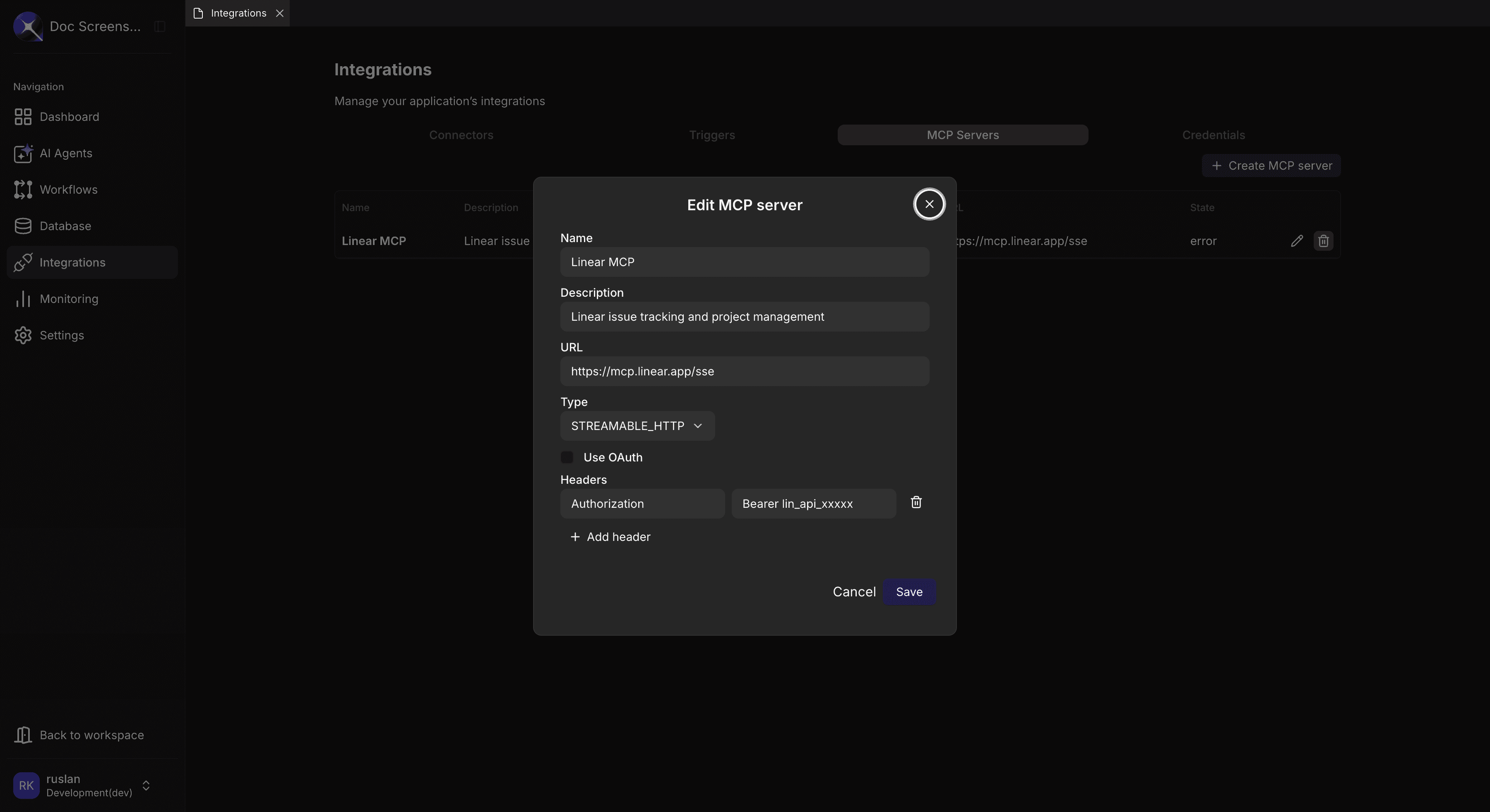
Changing the server URL or authentication may temporarily disrupt agents and workflows that use this server's tools. Update during low-traffic periods when possible.
Deleting an MCP Server
- Click the delete icon on the server row
- Confirm the deletion in the confirmation dialog
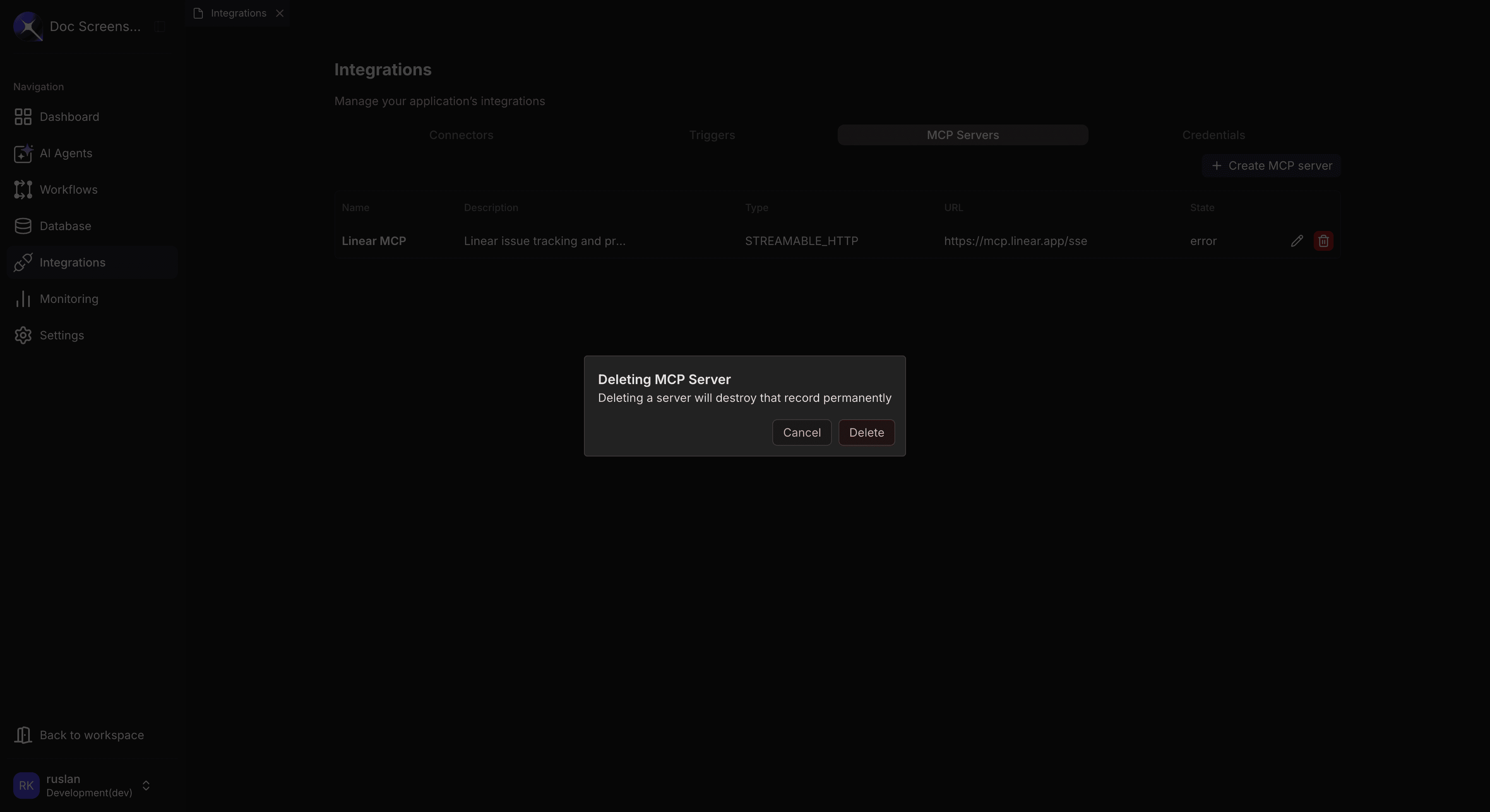
Deleting an MCP server will remove all its tools from the node palette. Any AgentFlows or Workflows using those tools will fail at runtime.
Troubleshooting
| Error | Cause | Solution |
|---|---|---|
| "Connection refused" | Server unreachable | Verify the Server URL is correct and the server is running |
| "Authentication failed" | Invalid OAuth or header credentials | Check Client ID/Secret or header values |
| "No tools discovered" | Server connected but exposed no tools | Verify the MCP server is configured to expose tools |
| "Tool execution timeout" | Server took too long to respond | Check server health; consider increasing timeout on the server side |
| "Schema validation failed" | Tool input doesn't match expected schema | Verify the input data matches the tool's JSON Schema definition |
| "Transport error" | SSE/HTTP connection dropped | Check network connectivity; try reconnecting |
Related Guides
- Credentials — Manage authentication for external service integrations
- Connectors — Connect to databases, APIs, and services with pre-built connectors
- Triggers — Configure real-time event handling from connected services